
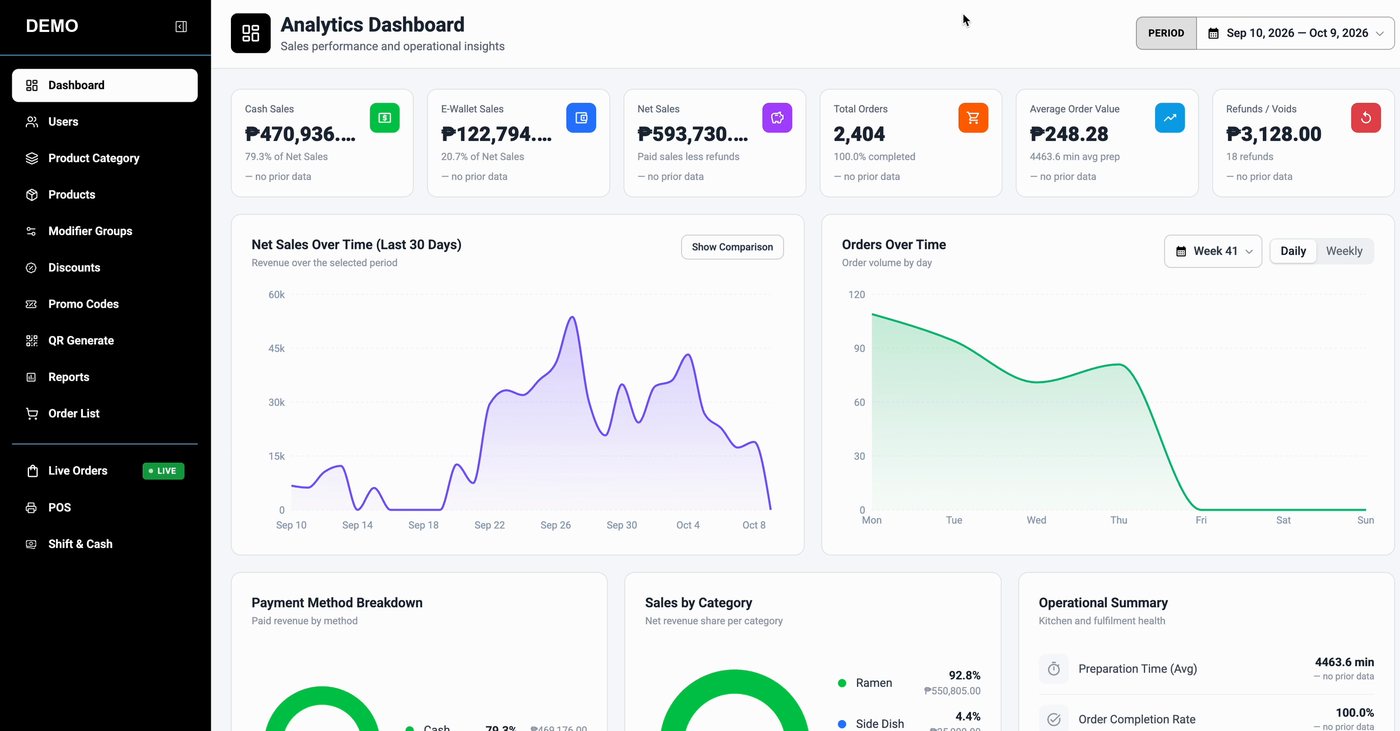
Analytics dashboard
See the day as it happens. Cash and e-wallet sales, net sales, total orders, average order value and refunds in one view, with net sales over time, orders by day, payment mix and sales by category.
 SnapServe
Restaurant POS and QR ordering
SnapServe
Restaurant POS and QR ordering
SnapServe brings your QR menu, counter POS, live orders and sales analytics together, so your team serves faster and you always know how the day is going.
The platform
These are real screens from the SnapServe admin app, the same tools your team will use every day.
See the day as it happens. Cash and e-wallet sales, net sales, total orders, average order value and refunds in one view, with net sales over time, orders by day, payment mix and sales by category.
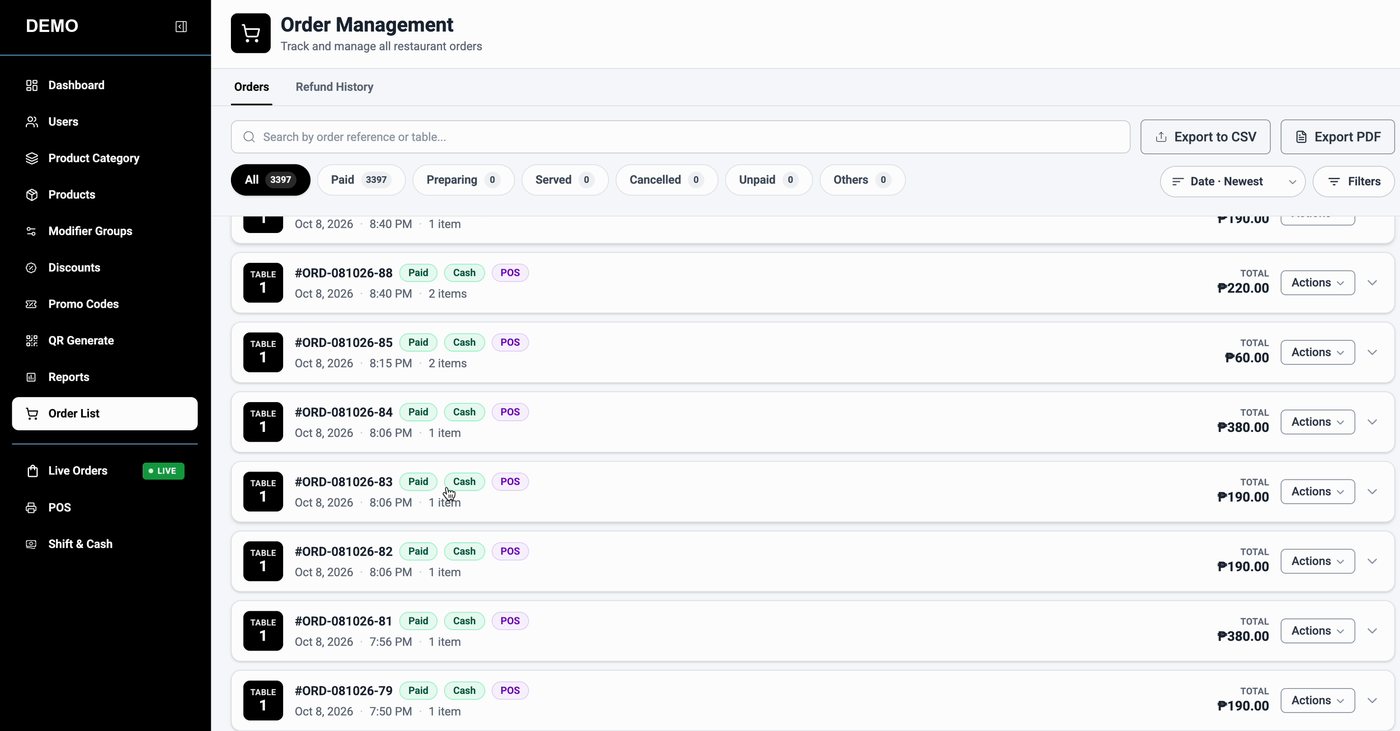
Track every order from paid to served. Filter by status, search by order reference or table, review refund history and export to CSV or PDF. A live board shows New, Preparing, Ready and Served.
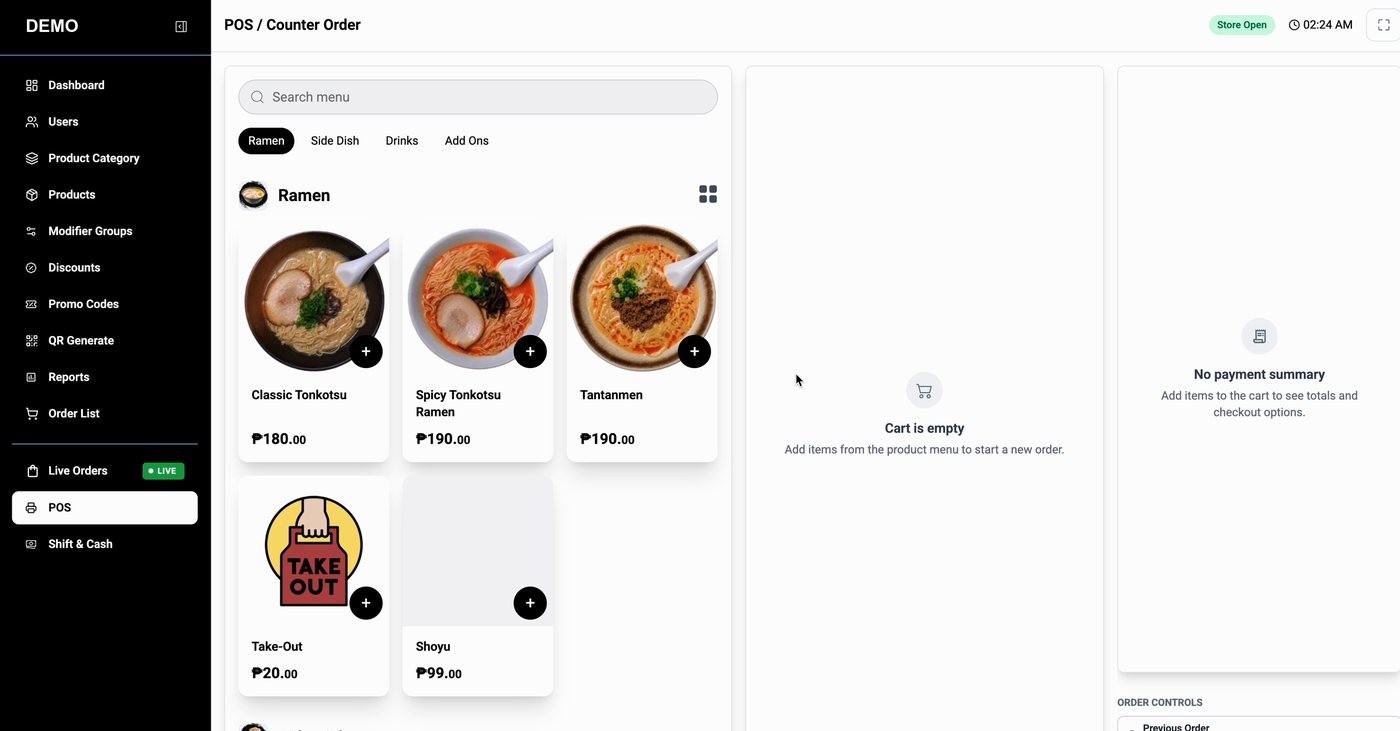
Ring up walk-in and counter orders from the same menu, with the cart and payment summary beside it. Orders are taken against an open shift.
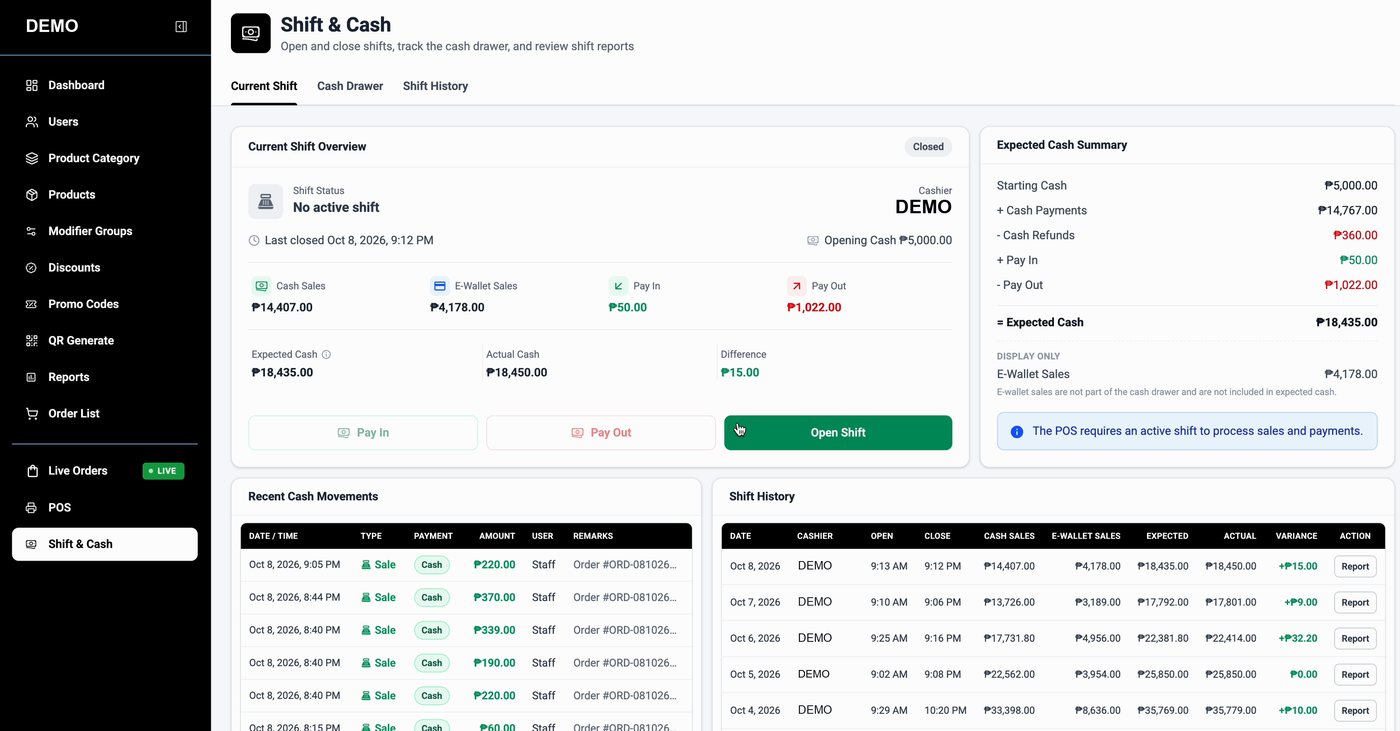
Open and close shifts, track pay-ins, pay-outs and cash refunds, and compare expected cash with the actual count. Every shift keeps its own history.
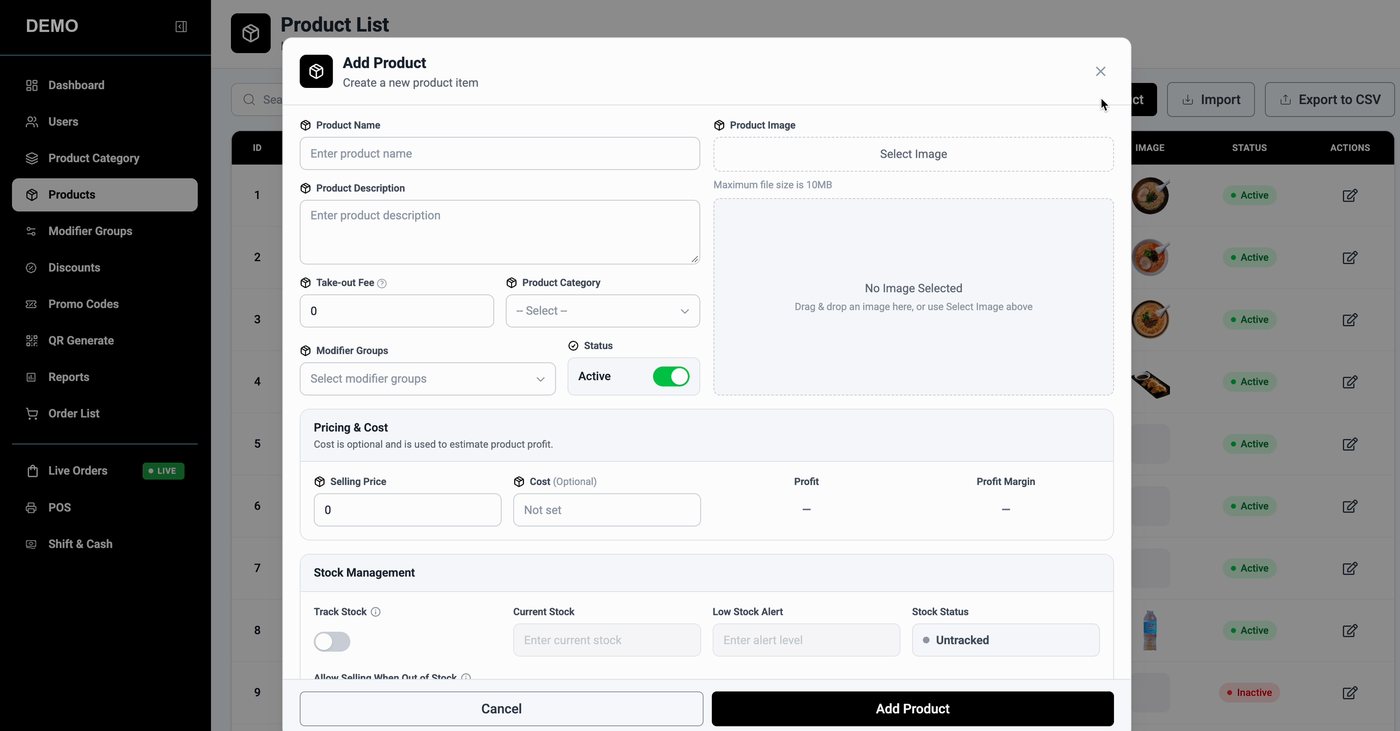
Manage categories and products with images, prices and costs (profit and margin), stock tracking with low-stock alerts, and reusable modifier groups for add-ons.
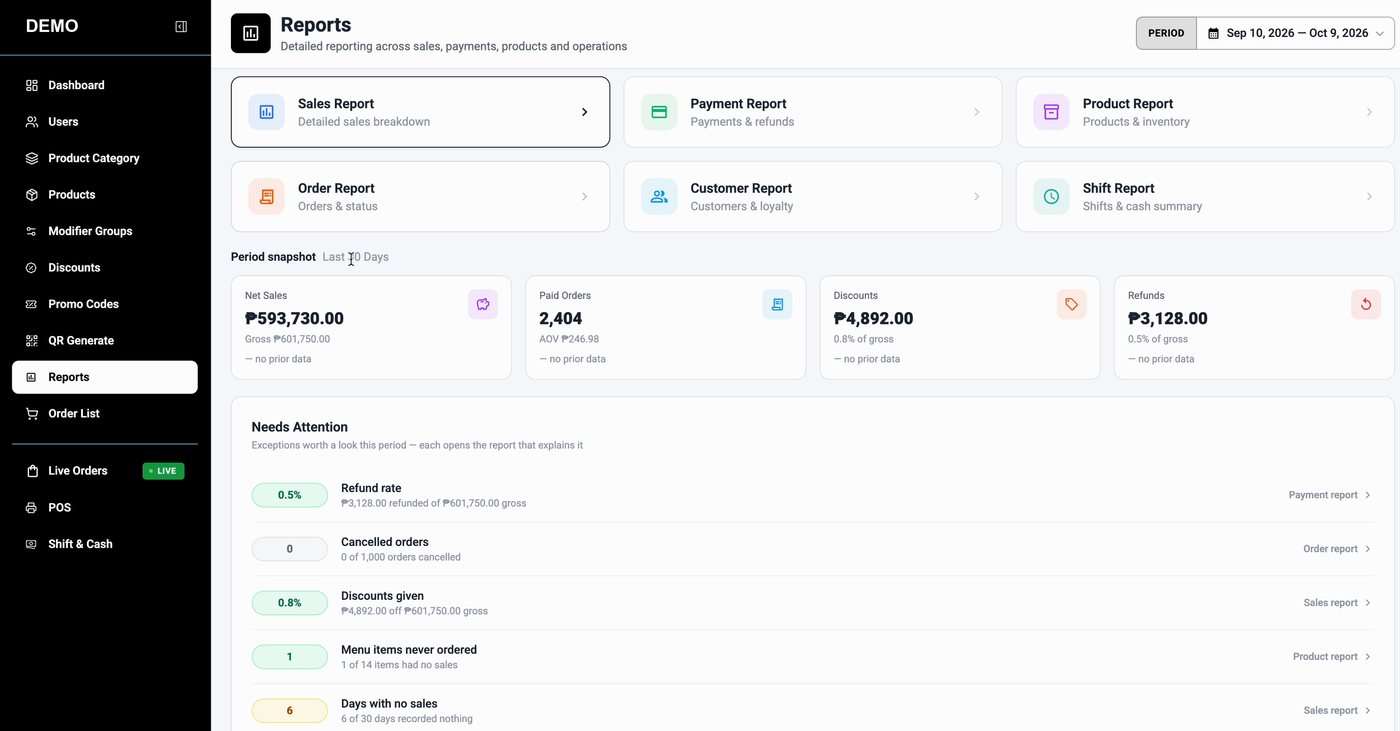
Sales, payment, product, order, customer and shift reports for any period, plus a Needs Attention list that flags refund rate, cancelled orders, discounts and days with no sales.
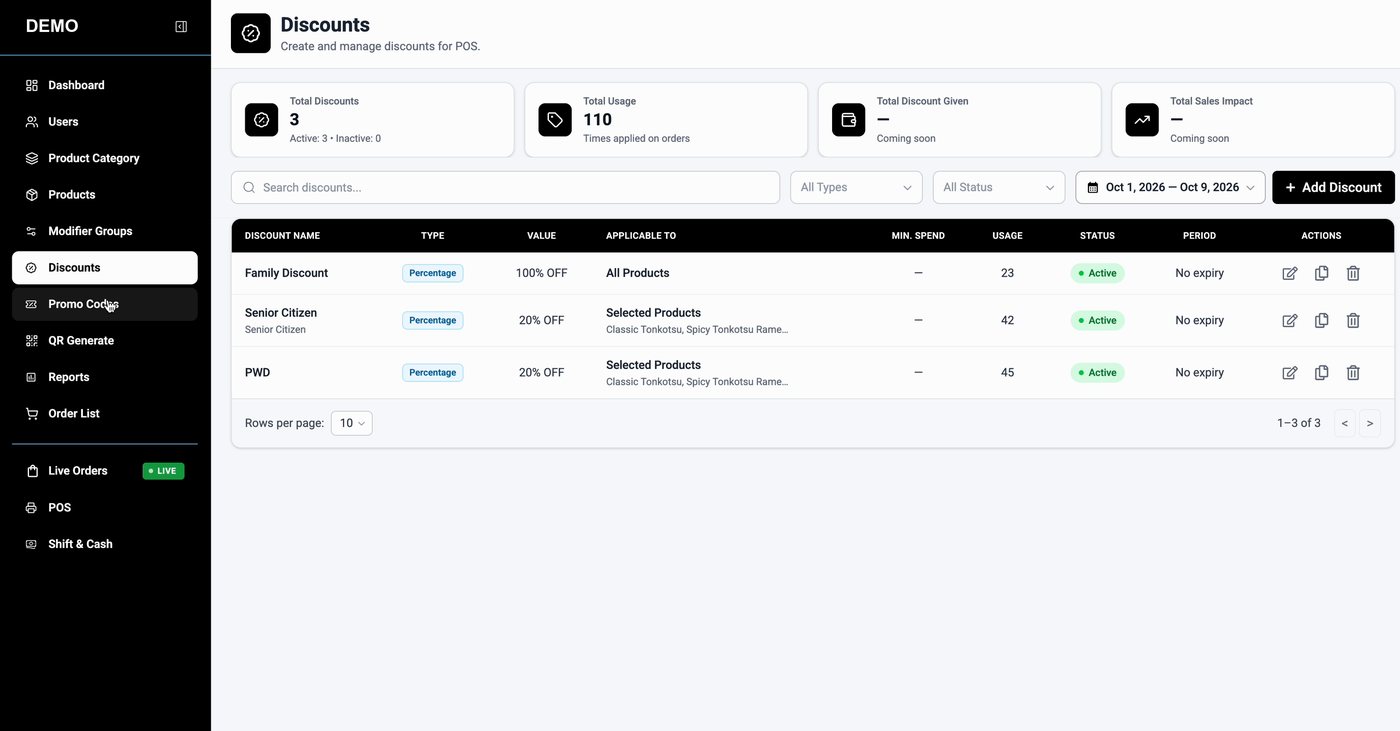
Create discounts for specific products or your whole menu, track how often they are used, and issue promo codes customers can use at checkout.
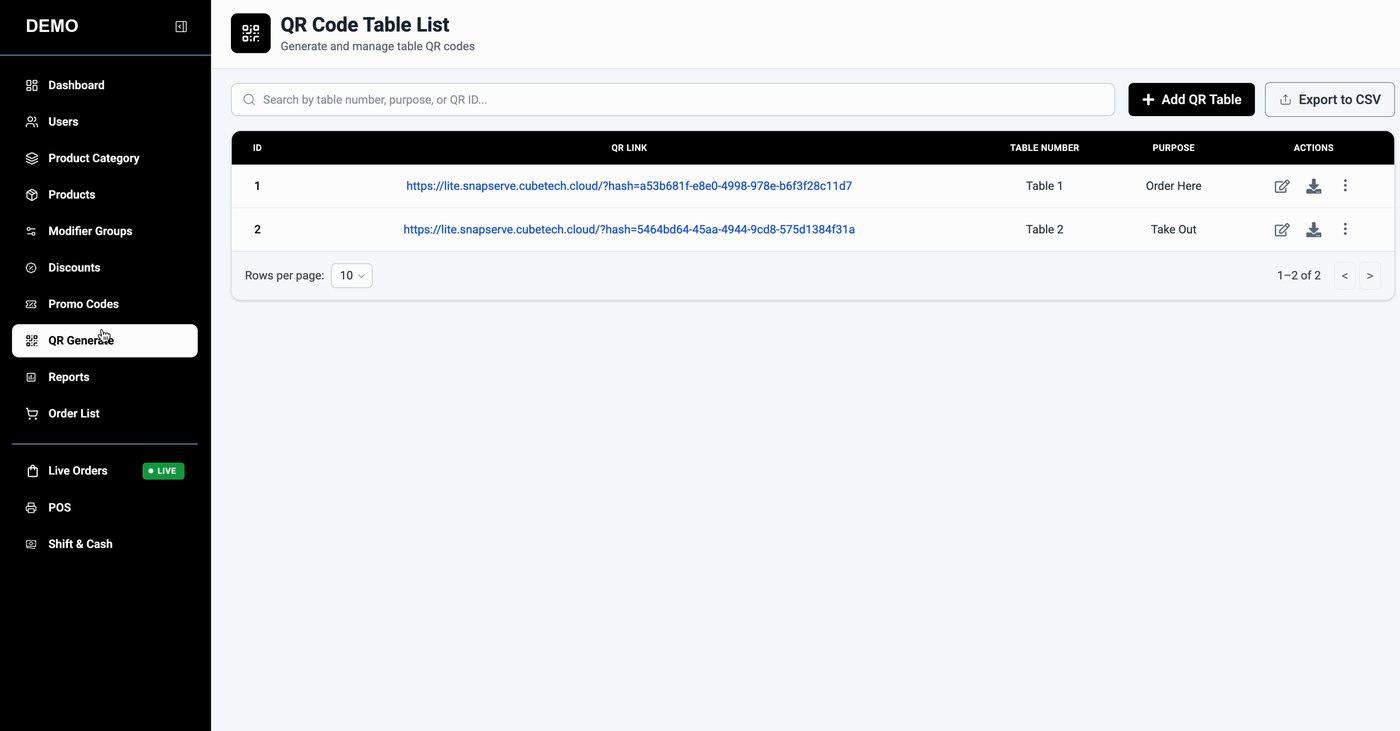
Generate a QR code for each table or for take-out. Guests scan, browse the menu and order from their own phone.
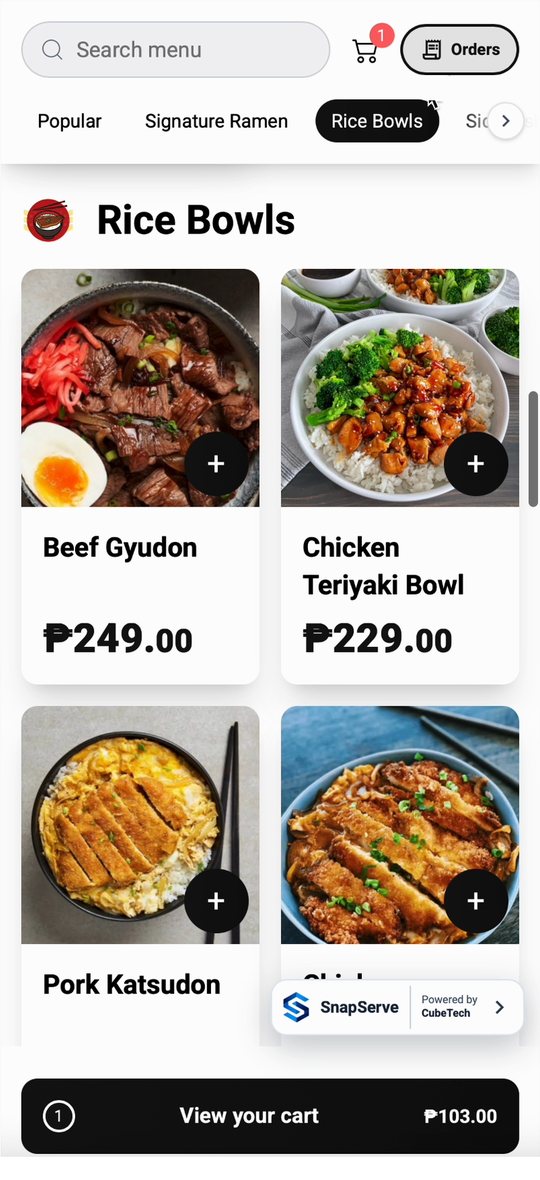
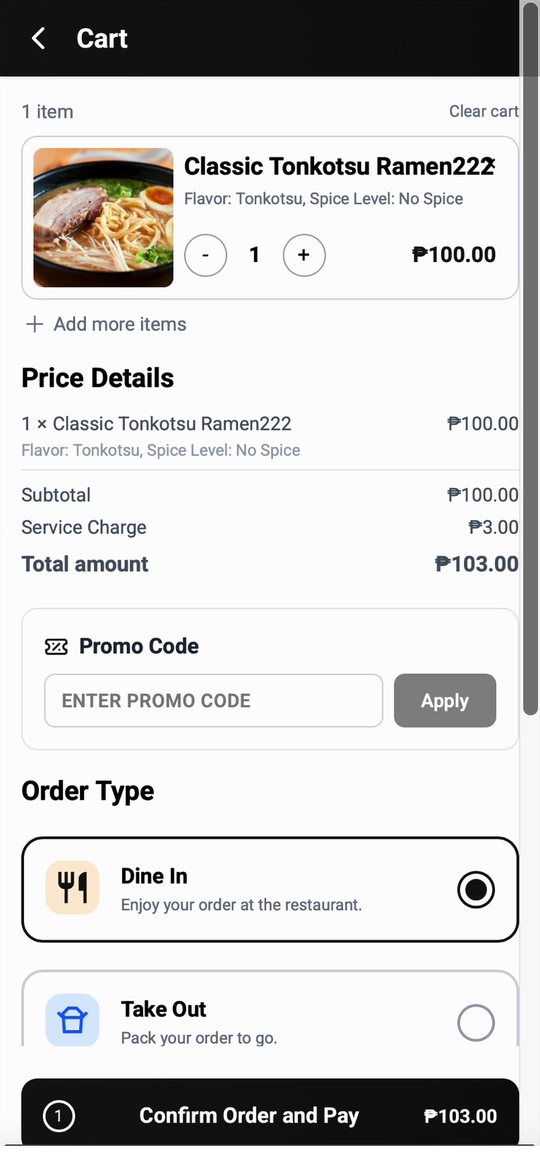
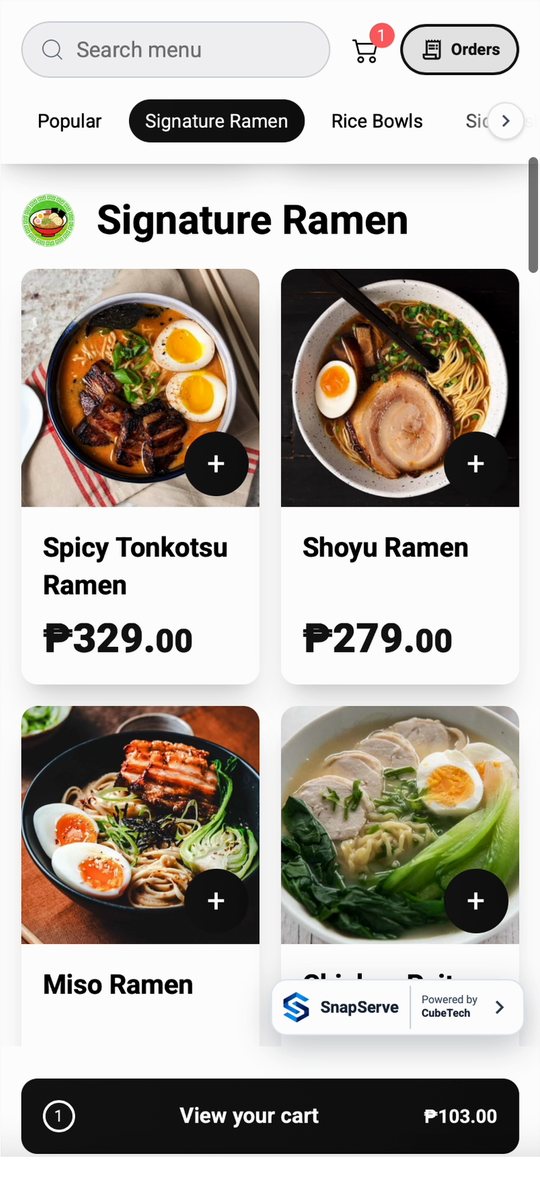
What your guests see
Scan, browse, order. No app to install and no reprinting menus when prices change. Guests choose Dine In or Take Out and can add a promo code at checkout.
How it works
Pick a template or craft your own: categories, items, prices, descriptions and appetizing photos. Prefer to hand it over? Our design team can create the menu for you.
Print a QR code for each table and for take-out. Guests scan and order straight from their phones, and the same menu powers your counter POS.
Orders land on the live board, the kitchen prepares them, and the dashboard and reports show sales, payments and shifts as they happen.
Flexible pricing options designed for restaurants of all sizes.
Perfect for small restaurants getting started.
₱999/month
Best for getting started
For restaurants that need full operations.
₱1,999/month
Customized for advanced needs.
Custom Pricing
Book a 30-minute demo and we will walk you through the dashboard, the POS and your menu.